PX4 ULog viewer and 3D flight replay
Upload a .ulg file straight off the flight controller and watch the flight again over real terrain, with the telemetry that produced it on screen beside it. Built for the moment after a flight when you need to know what the vehicle actually did.
Supported files: .ulg.
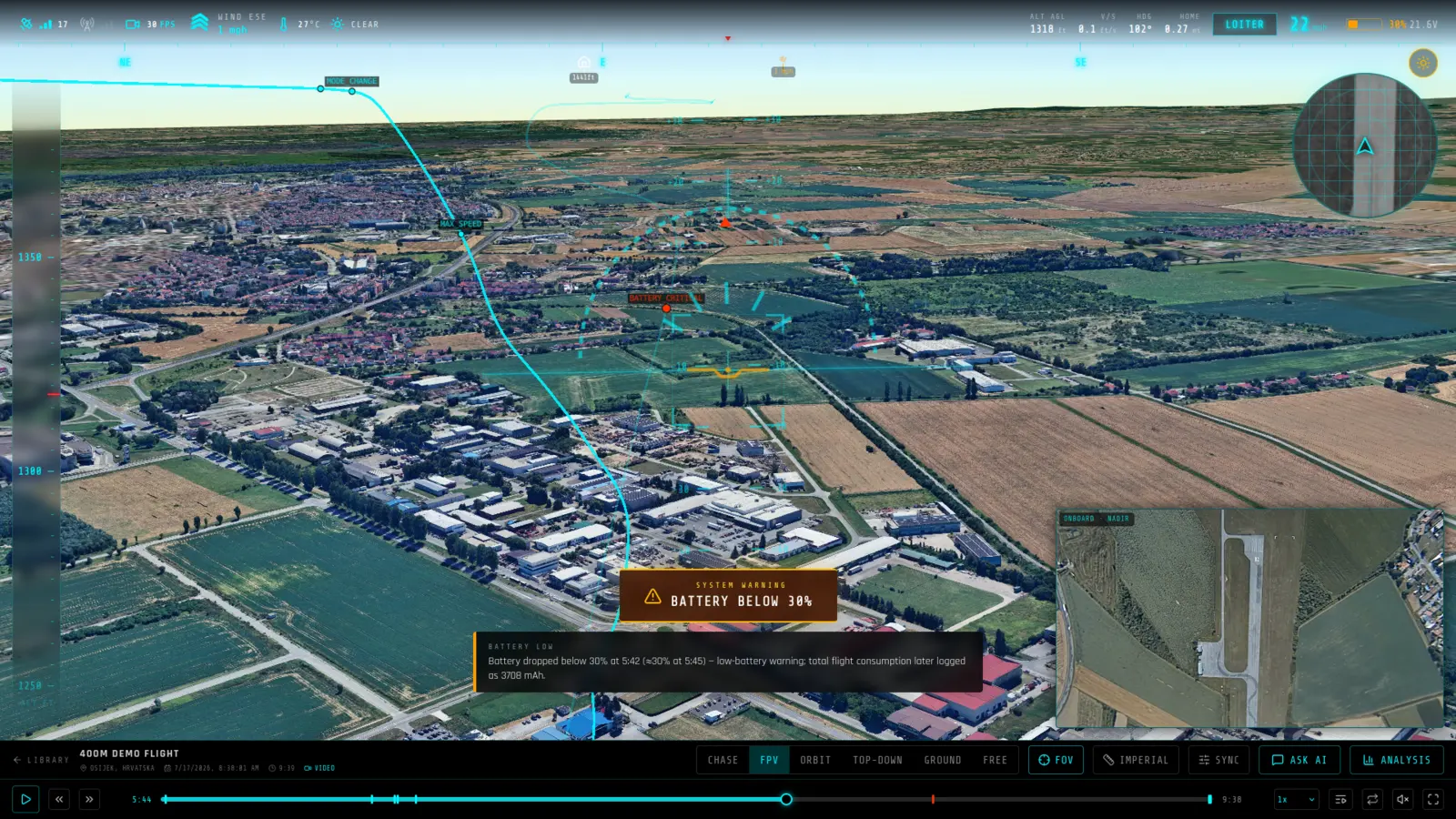
What you get from a PX4 ULog log
- ULog topics, on one timeline — Global and local position, attitude, actuator outputs, battery status, GPS quality and flight-mode transitions are read from the ULog and aligned to a single clock.
- Works with real-world logs — Logs from Holybro, NXP HoverGames, Freefly, PX4 Vision and generic frames all load — including short bench and HIL runs, which still produce a full telemetry summary.
- Public PX4 examples to try first — A library of public PX4 flights is available to open without an account, so you can see exactly what your own log will look like before uploading it.
What RavnView reads from a PX4 ULog log
- vehicle_global_position, vehicle_local_position
- The flight path itself — latitude, longitude and altitude above mean sea level, with the local-frame reference used to place the track when the global topic is sparse.
- vehicle_attitude
- Attitude quaternions, interpolated with SLERP so the airframe rolls and pitches through the replay the way it did in the air.
- vehicle_status
- nav_state decoded to readable flight modes — MANUAL, ALTCTL, POSCTL, AUTO_MISSION, AUTO_LOITER, AUTO_RTL, AUTO_LAND, ACRO, STAB and the rest — marked on the timeline where each transition happened.
- sensor_gps, vehicle_gps_position
- Fix type and GPS time, used both for health charting and to anchor the flight to a real UTC clock so onboard video can be synced against it.
- battery_status
- Voltage, current and remaining capacity across the flight, charted against what the aircraft was being asked to do at the time.
Limits worth knowing
- A nav_state value outside the known table is shown as MODE_<n> rather than being guessed at. Vendor-specific and experimental modes are where this shows up.
- ULog is a topic-based format, so what you get depends on what the airframe was configured to log. RavnView reads what is present and leaves out what is not, rather than showing empty charts.
- The airframe type is taken from the log where it is recorded; a fixed-wing ULog replays as a fixed-wing, a multirotor as a multirotor.
A real PX4 ULog flight
PX4 ALTA X · 2023-05-29 — Freefly Alta X · Western Australia, Australia · 37m 46s. A public PX4 ULog log in RavnView: telemetry summary, detected events, weather at the time, and the interactive 3D replay, with no account needed to open it.
Frequently asked questions
- What if my ULog has no GPS fix?
- A log needs some geographic reference — a GPS fix, or a local position with a reference latitude and longitude — to be placed on terrain. Logs with only local position and no reference point are rejected with an explanation rather than a broken replay.
- How does this compare to PX4 Flight Review?
- Flight Review produces plots. RavnView produces a 3D replay: the aircraft re-flies the recorded track over terrain, with charts, detected events, weather at the time of flight and an AI-written analysis attached to the same timeline.
- Does this work with logs from a PX4 SITL simulation?
- Yes. A ULog written by SITL carries the same topics as one from hardware, so it replays the same way — useful for reviewing a mission plan before flying it for real.
- Which PX4 versions are supported?
- The parser reads the ULog format itself rather than targeting a firmware release, so logs from current and older PX4 versions both open. What varies between versions is which topics are present, not whether the file can be read.
- Do I need to install anything?
- No. RavnView runs entirely in the browser — you upload a log file and the replay loads in the same tab. There is no desktop application and nothing to keep updated.
- Is it free?
- Yes, to start. The free tier covers 2 GB of storage, 2 flights and 20 AI questions per month, and does not ask for a card. Paid plans raise those limits; every plan includes the full replay and analysis toolset.
- Are my flights public?
- No. Flights are private by default and only visible to you. You can make an individual flight public, which produces a shareable link anyone can open without an account.