ArduPilot log viewer and 3D flight replay
Drop in a dataflash .bin log from Copter, Plane or Rover and RavnView reconstructs the flight as an interactive 3D replay over real terrain — driven entirely by the recorded telemetry, never a physics guess. Read the flight the way it happened instead of scrubbing a wall of graphs.
Supported files: .bin, .BIN.
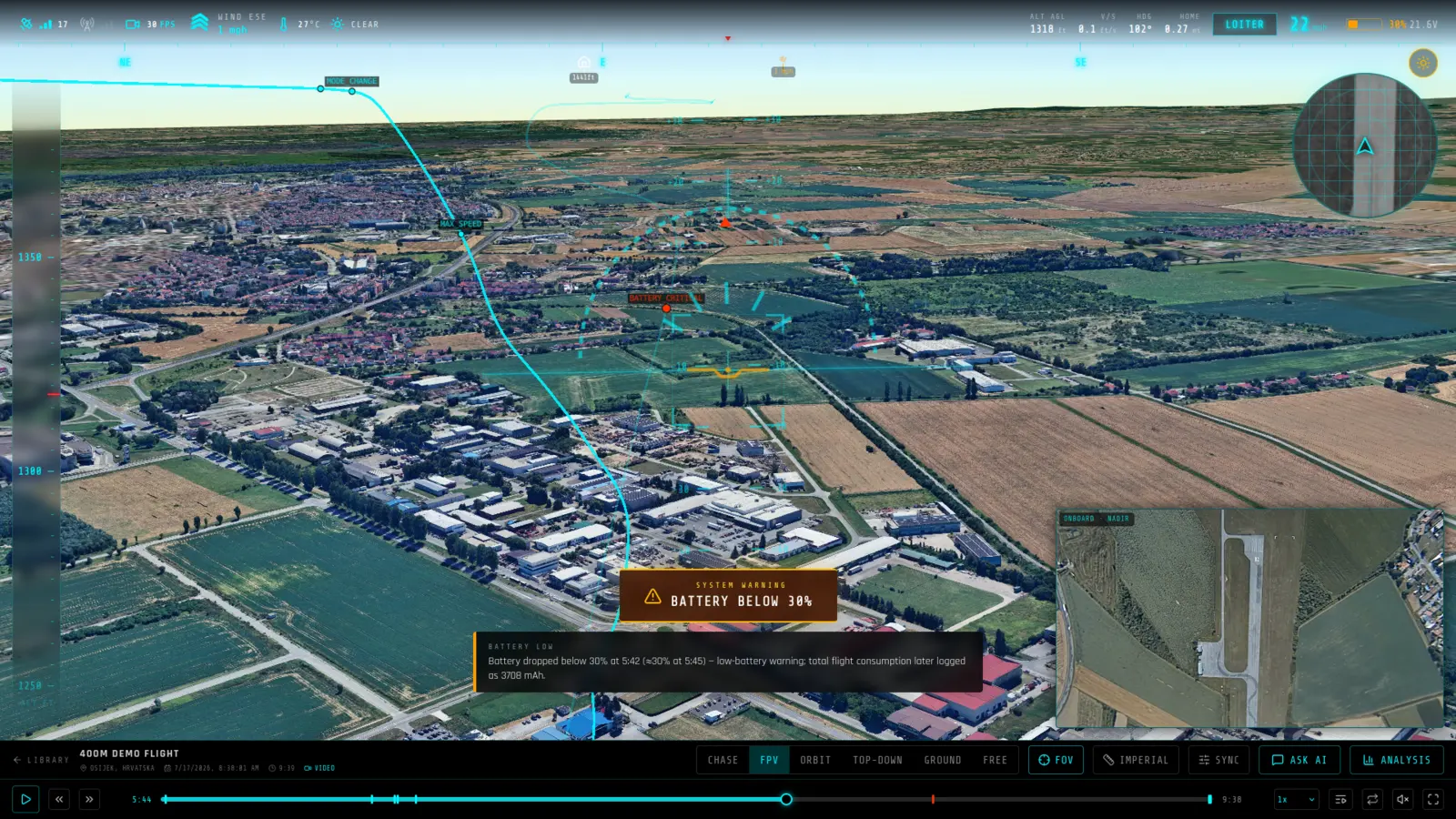
What you get from a ArduPilot log
- Dataflash messages, decoded — Position, attitude, mode changes, RC inputs, battery, vibration, EKF and GPS health are parsed straight out of the .bin and put on a shared timeline.
- Flight modes on the timeline — Every STABILIZE, LOITER, AUTO or RTL transition is marked where it happened, so you can see which mode the aircraft was in at any moment of the replay.
- Crash and anomaly review — Battery sag, GPS glitches, EKF failsafes and mode changes are detected and narrated, with the charts and 3D view synced to the moment you are inspecting.
What RavnView reads from a ArduPilot log
- POS, ATT
- Position and attitude, interpolated between samples for position and SLERP-interpolated for attitude — which is what makes the aircraft bank into its turns instead of snapping between fixes.
- XKF1, XKF2, XKF4 (or NKF equivalents)
- EKF state: velocity and position innovations, wind estimate, and the filter's own health flags. This is where a position estimate starts drifting before anything visible happens to the aircraft.
- GPS, GPA
- Fix type, satellite count and reported accuracy, so a glitch can be told apart from an EKF problem that merely looks like one.
- BAT
- Pack voltage, current and consumed capacity. Sag under load is charted against throttle, which is the pair worth reading together.
- RCIN, RCOU, ESC
- Pilot stick inputs, servo/motor outputs, and per-motor ESC telemetry. Where ESC RPM is logged it also drives the propeller speeds on the 3D model.
- VIBE, IMU, BARO, MAG
- Vibration levels and clipping counts, raw inertial data, barometric altitude and compass readings — the sensors you check when an EKF complaint has no obvious cause.
- MODE, EV, MSG
- Flight-mode transitions by name (STABILIZE, LOITER, AUTO, RTL and the rest), AP_Logger events including arm, disarm, takeoff, landing, GPS loss, EKF resets and emergency motor stop, and the autopilot's own text messages.
- PM, MCU
- Scheduler performance and flight-controller board health — long loops and brownouts leave their trace here.
Limits worth knowing
- A log needs position data to be placed on the map. A .bin recorded with no GPS fix and no usable EKF position estimate still parses, but there is no track to fly.
- Flight-mode names are decoded using the firmware family recorded in the log — Copter, Plane, Rover, Sub or Blimp. Truly unknown or vendor-specific values remain numeric rather than being guessed at.
- The replay is driven entirely by recorded samples — linear interpolation for position, quaternion SLERP for attitude. Nothing is simulated, so a gap in the log is a gap in the replay rather than a plausible-looking invention.
A real ArduPilot flight
H743 Field Flight — QUAD/X · Australia · 19m 35s. A public ArduPilot log in RavnView: telemetry summary, detected events, weather at the time, and the interactive 3D replay, with no account needed to open it.
Frequently asked questions
- Which ArduPilot logs work?
- Dataflash .bin logs from ArduCopter, ArduPlane and Rover, as written to the flight controller's SD card or downloaded through Mission Planner. The log needs position data — a log with no GPS fix and no position estimate cannot be placed on the map.
- How is this different from Mission Planner's log review?
- Mission Planner plots the data. RavnView flies it: the aircraft re-flies its recorded track over 3D terrain with the charts, event list and any onboard video synced to the same clock, in a browser and shareable by link.
- Do I need Mission Planner or a desktop tool first?
- No. Take the .bin straight off the flight controller's SD card, or download it through Mission Planner if that is easier, and upload the file as it is. There is nothing to convert and nothing to install.
- What if the log is truncated or the aircraft cut power mid-flight?
- It still opens. The parser reads as far as the file goes and the replay ends where the recording ends — which is often exactly the moment worth looking at.
- Do I need to install anything?
- No. RavnView runs entirely in the browser — you upload a log file and the replay loads in the same tab. There is no desktop application and nothing to keep updated.
- Is it free?
- Yes, to start. The free tier covers 2 GB of storage, 2 flights and 20 AI questions per month, and does not ask for a card. Paid plans raise those limits; every plan includes the full replay and analysis toolset.
- Are my flights public?
- No. Flights are private by default and only visible to you. You can make an individual flight public, which produces a shareable link anyone can open without an account.